



环境搭建
拉取elasticsearch镜像
docker pull elasticsearch:7.10.1
创建用户自定义网络
docker network create technetwork
容器运行ES
docker run --name elasticsearch --net technetwork -p 9200:9200 -p 9300:9300 -e "discovery.type=single-node" -d elasticsearch:7.10.1
查看ES
http://localhost:9200

拉取kibana镜像
docker pull kibana:7.10.1
容器运行kibana
docker run --name kibana --net technetwork -p 5601:5601 -d kibana:7.10.1
查看kibana,并切换到Dev Tools
http://localhost:5601

ES 和 RDBMS 区别
RDBMS - schema / transaction / join
Elasticsearch - schemaless / correlation / High performance full-text retrieval
| RDBMS | Elasticsearch |
| Table | Index(Type) |
| Row | Document |
| Column | Field |
| Schema | Mapping |
| SQL | DSL |
Note:
ES7.0之前,一个Index可以设置多个Type。
ES7.0开始,Type已经被deprecated,一个Index只能设置一个Type —— “_doc”。

ES CRUD
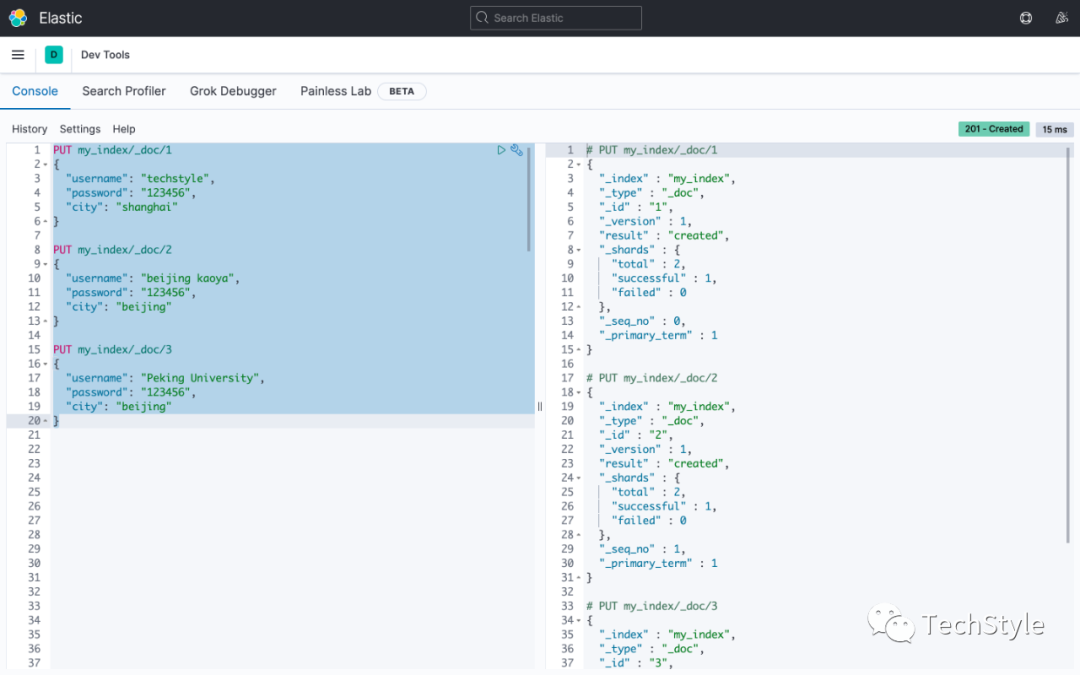
| Create | PUT my_index/_doc/1 { "username": "techstyle", "password": "123456", "city": "shanghai" } |
| Read | GET my_index/_doc/1 |
| Update | POST my_index/_doc/1 { "username": "techstyle", "password": "654321", "city": "beijing" } |
| Delete | DELETE my_index/_doc/1 DELETE my_index |
Note:
ES中创建index使用的是PUT,更新index使用的是POST
Index Settings
GET my_index/_settings

Index Mapping
GET my_index/_mapping

Index Alias
add alias to index
POST /_aliases{"actions": [{"add": {"index": "my_index","alias": "techindex"}}]}

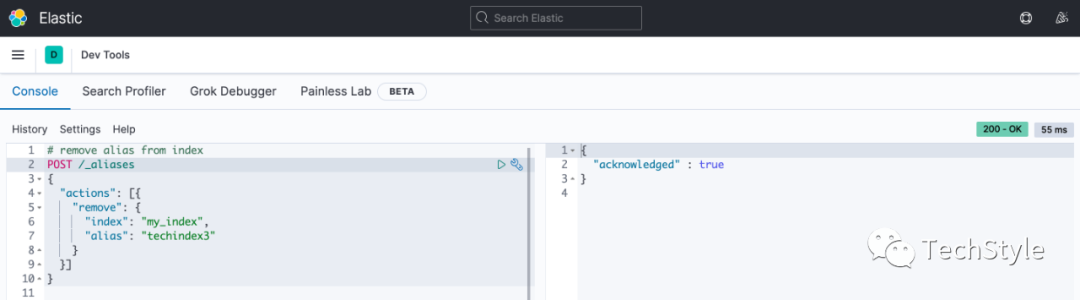
remove alias from index
POST /_aliases{"actions": [{"remove": {"index": "my_index","alias": "techindex3"}}]}
get all aliases start from 'tech'
GET _cat/aliases?v&alias=tech*

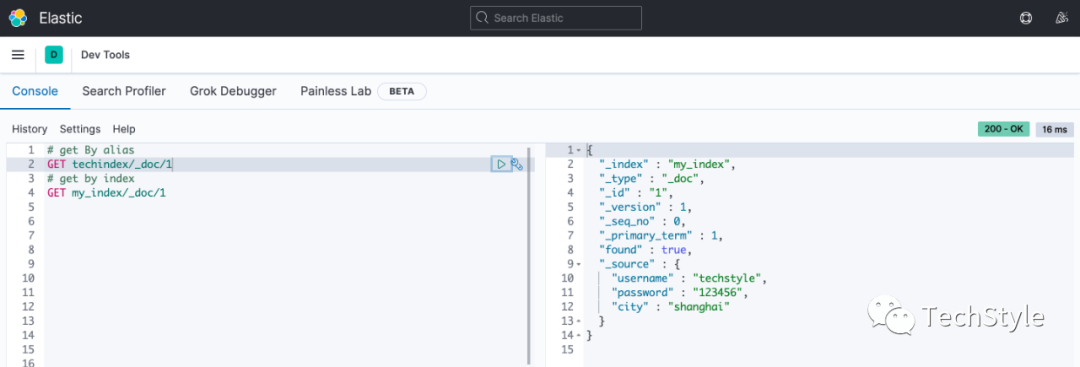
get by alias
# get By aliasGET techindex/_doc/1# get by indexGET my_index/_doc/1
Search Template
prepare initial index data
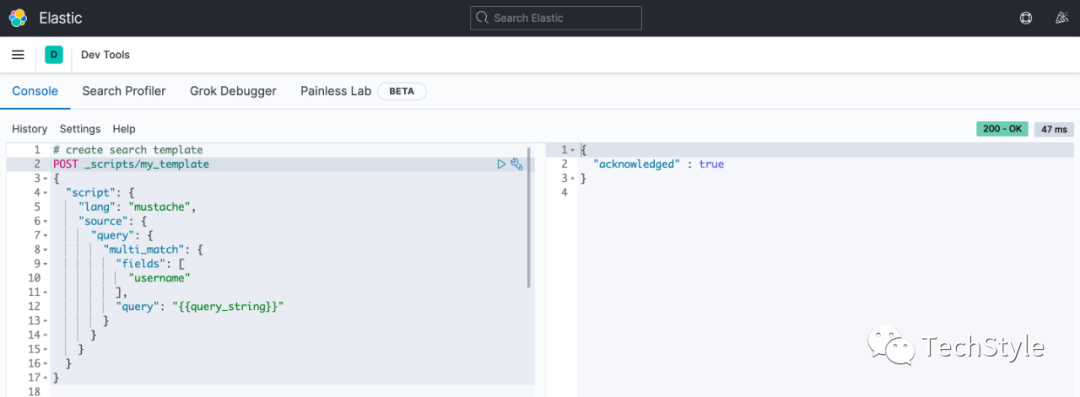
create search template
POST _scripts/my_template{"script": {"lang": "mustache","source": {"query": {"multi_match": {"fields": ["username"],"query": "{{query_string}}"}}}}}
Note: 这里仅仅匹配 'username'
get template
GET _scripts/my_template

search by template
POST my_index/_search/template{"id": "my_template","params": {"query_string": "beijing"}}
Note: 查询 'username=beijing' 的 doc,仅命中1个

delete template
DELETE _scripts/my_template

重新创建一个匹配 username 和 city 的 search template
POST _scripts/my_template{"script": {"lang": "mustache","source": {"query": {"multi_match": {"fields": ["username","city"],"query": "{{query_string}}"}}}}}
再次使用 search template 进行模板查询,命中了2个

Pipeline
ES内部有许多内置的processor,比如date、append、join、split、convert、script等,具体可以参考如下链接
| https://www.elastic.co/guide/en/elasticsearch/reference/current/ingest-processors.html |
这里为了演示方便就新建一个convert pipeline,将price字段转为float类型
PUT _ingest/pipeline/my_pipeline{"description": "update from string to double","processors": [{"convert": {"field": "price","type": "float"}}]}
simulate看下新建的pipeline的效果
POST _ingest/pipeline/my_pipeline/_simulate{"docs": [{"_index": "index","_id": "id","_source": {"product": "Macbook","price": "999"}},{"_index": "index","_id": "id","_source": {"product": "iPhone","price": "666"}}]}
可以看到price字段全部转为了float类型

查看自定义的convert pipeline
GET _ingest/pipeline/my_pipeline
创建index的时候启用自定义的convert pipeline
PUT my_index/_doc/4?pipeline=my_pipeline{"product": "iPad","price": "999"}

查看新创建的index的doc内容,可以看到price字段已经convert为float类型

删除自定义的convert pipeline
DELETE _ingest/pipeline/my_pipeline
Reference
https://hub.docker.com/_/elasticsearch
https://hub.docker.com/_/kibana
https://www.elastic.co/downloads/elasticsearch
https://www.elastic.co/downloads/kibana
https://www.elastic.co/guide/en/elasticsearch/reference/current/indices.html
https://www.elastic.co/guide/en/elasticsearch/reference/current/index-templates.html
https://www.elastic.co/guide/en/elasticsearch/reference/current/search-template.html
https://www.elastic.co/guide/en/elasticsearch/reference/current/modules-scripting.html
https://www.elastic.co/guide/en/elasticsearch/reference/current/pipeline.html
https://www.elastic.co/guide/en/elasticsearch/reference/current/ingest-apis.html
https://www.elastic.co/guide/en/elasticsearch/reference/current/removal-of-types.html
https://www.elastic.co/guide/en/elasticsearch/reference/current/indices-get-settings.html
泰克风格 只讲干货 不弄玄虚
