



以下内容图示为主,主要探讨和早期版本的不同,给大家升级 8.0 或者更高版本铺路。
一、Windows 单节点集群部署
1、步骤1:下载并解压 elasticsearch、kibana 安装包。
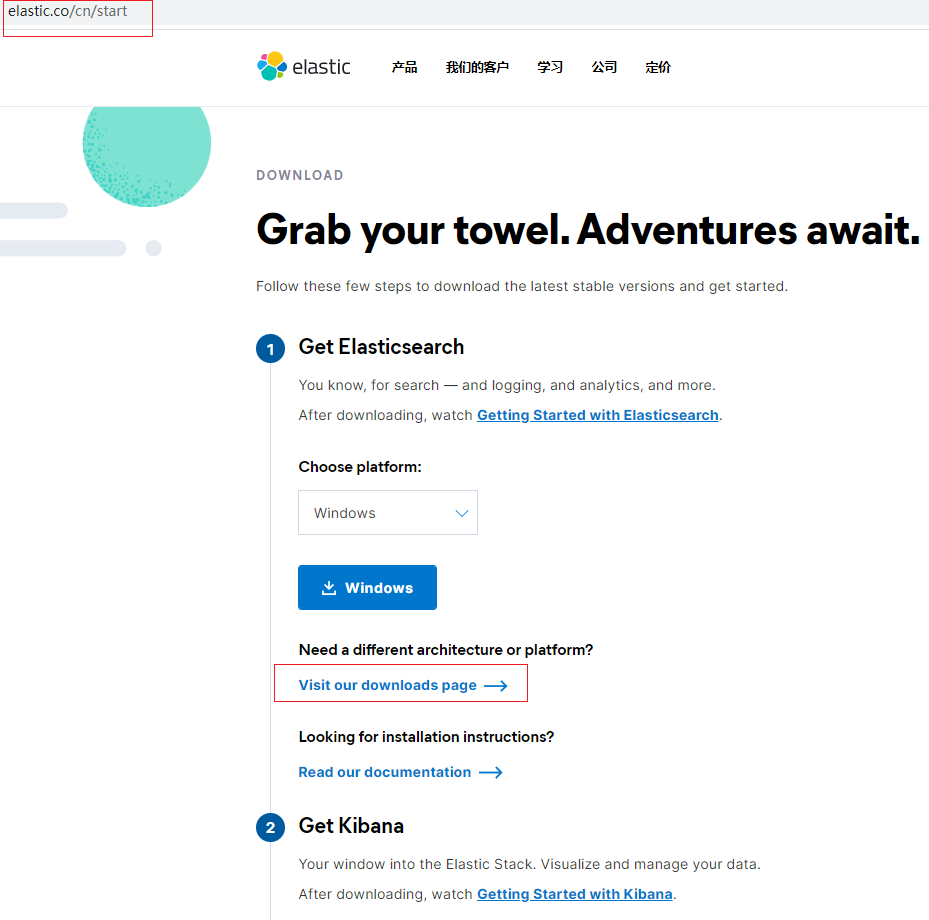
2、步骤2:启动 elasticsearch。
注意!!!!!
不要修改任何配置,一会我会讲为什么。
启动 elasticsearch 后,记录命令行提示的信息。如下:
-> Elasticsearch security features have been automatically configured!-> Authentication is enabled and cluster connections are encrypted.-> Password for the elastic user (reset with bin/elasticsearch-reset-password -u elastic): E28HdAOZEdumJU7A9wL7-> HTTP CA certificate SHA-256 fingerprint: 264b58e0f92f1e7492cc4cd407aac886012b026af6a20d777a05cd0ddccb43b4-> Configure Kibana to use this cluster:* Run Kibana and click the configuration link in the terminal when Kibana starts.* Copy the following enrollment token and paste it into Kibana in your browser (valid for the next 30 minutes): eyJ2ZXIiOiI4LjAuMCIsImFkciI6WyIxNzIuMjAuNi4yMjU6OTIwMCIsIjE5Mi4xNjguMTAxLjU6OTIwMCJdLCJmZ3IiOiIyNjRiNThlMGY5MmYxZTc0OTJjYzRjZDQwN2FhYzg4NjAxMmIwMjZhZjZhMjBkNzc3YTA1Y2QwZGRjY2I0M2I0Iiwia2V5IjoiWUdxX0IzOEI3enY2MVdWT2pDeUI6ak1zZ3o3a1FUSE9pMHd1aHFfUjNvZyJ9-> Configure other nodes to join this cluster:* On this node: - Create an enrollment token with bin/elasticsearch-create-enrollment-token -s node. - Uncomment the transport.host setting at the end of config/elasticsearch.yml. - Restart Elasticsearch.* On other nodes: - Start Elasticsearch with bin/elasticsearch --enrollment-token <token>, using the enrollment token that you generated.
步骤3、启动 Kibana
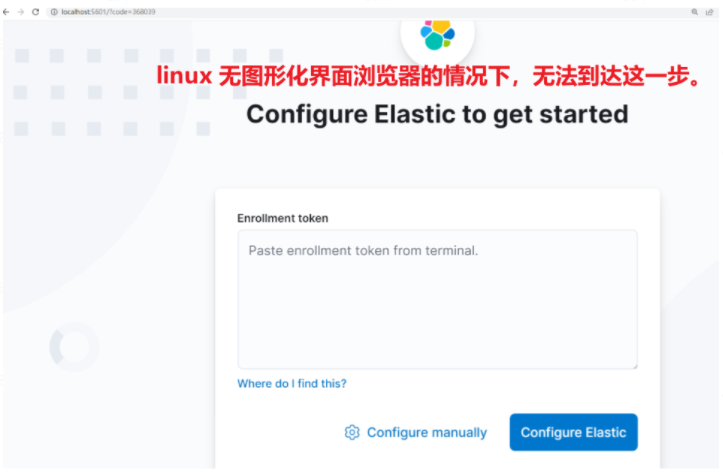
注意下面的提示信息,提示我们浏览器访问,并完成配置。
i Kibana has not been configured.Go to http://localhost:5601/?code=368039 to get started.
4、步骤4:完成 Kibana 配置
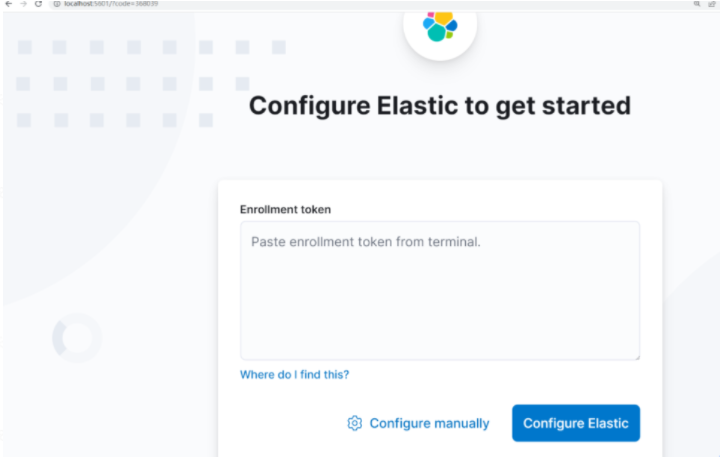
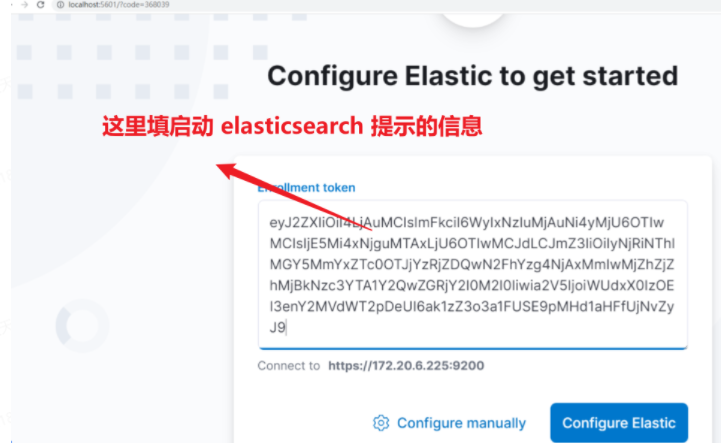
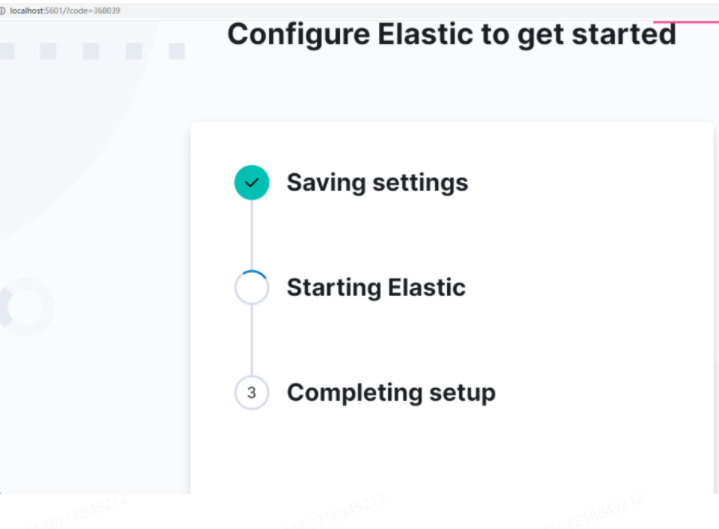
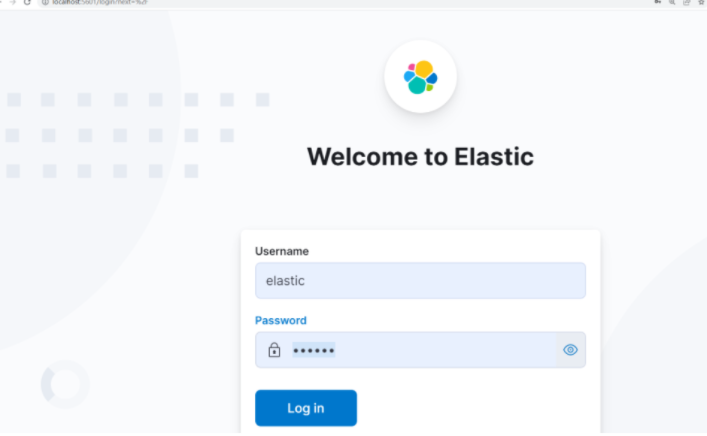
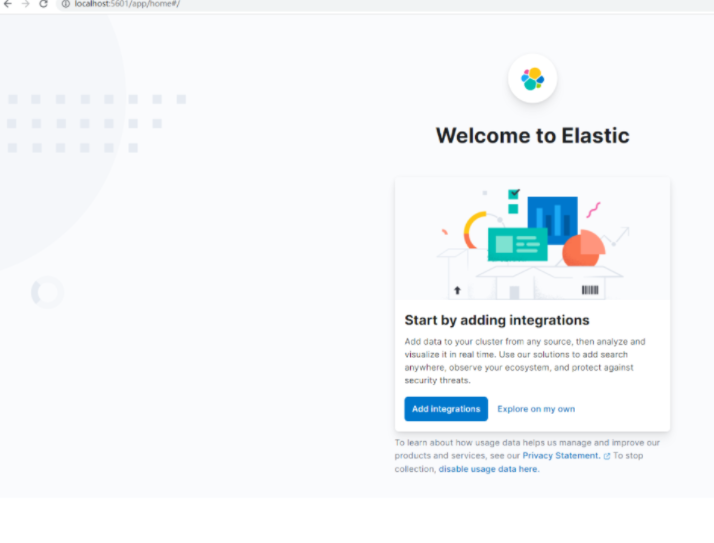
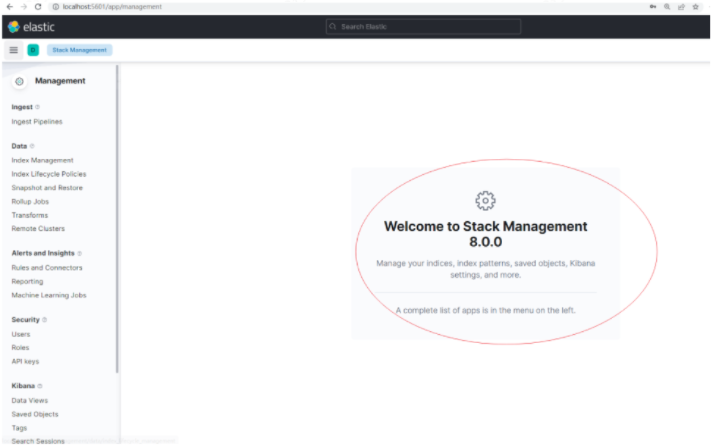
二、8.X 的安装配置简化体现在哪里?
铭毅的观察:
节点无需任何安全配置,即可实现 TLS 加密通信、Https 加密通信。 TLS 应用于 节点间的通信。 Https 应用于 Http访问,例如:浏览器访问 elasticsearch。
在第一次启动之后,elasticsearch 下的elasticsearch.yml 文件自动新增配置如下:
Enable security featuresxpack.security.enabled: truexpack.security.enrollment.enabled: trueEnable encryption for HTTP API client connections, such as Kibana, Logstash, and Agentsxpack.security.http.ssl: enabled: true keystore.path: certs/http.p12Enable encryption and mutual authentication between cluster nodesxpack.security.transport.ssl: enabled: true verification_mode: certificate keystore.path: certs/transport.p12 truststore.path: certs/transport.p12Create a new cluster with the current node onlyAdditional nodes can still join the cluster latercluster.initialmasternodes: ["DESKTOP-TKQF337"]Allow HTTP API connections from localhost and local networksConnections are encrypted and require user authenticationhttp.host: [local, site]Allow other nodes to join the cluster from localhost and local networksConnections are encrypted and mutually authenticated#transport.host: [local, site]#----------------------- END SECURITY AUTO CONFIGURATION -------------------------
而 Kibana 下的配置在浏览器配置完毕后,自动新增配置如下
# This section was automatically generated during setup.elasticsearch.hosts: ['https://172.20.6.225:9200']elasticsearch.serviceAccountToken: AAEAAWVsYXN0aWMva2liYW5hL2Vucm9sbC1wcm9jZXNzLXRva2VuLTE2NDUxMDI3NzQyOTg6VWszUEc1YUtTMkdXT1lxMkNaUVdXdw
elasticsearch.ssl.certificateAuthorities: ['D:\2.es_install\kibana-8.0.0-windows-x86_64\kibana-8.0.0\data\ca_1645102775117.crt']
xpack.fleet.outputs: [{id: fleet-default-output, name: default, is_default: true, is_default_monitoring: true, type: elasticsearch, hosts: ['https://172.20.6.225:9200'], ca_trusted_fingerprint: 264b58e0f92f1e7492cc4cd407aac886012b026af6a20d777a05cd0ddccb43b4}]
三、更新了哪些认知?
这和早期版本使用不太一样的。
我习惯配置成本地 ip 地址,然后再访问的,包括云服务的我也是先改配置再访问。
优点:这种自动化的方式,单节点本机无需配置即可启动,非常方便。
缺点:对于云服务器方式,这种方式是不凑效的,为啥?
关于云服务器的不生效,本质原因,看官方文档:
https://www.elastic.co/guide/en/elasticsearch/reference/current/configuring-stack-security.html
When Elasticsearch starts for the first time, the security auto-configuration process binds the HTTP layer to both _site_ and _local_, but only binds the transport layer to _local_. This intended behavior ensures that you can start a single-node cluster with security enabled by default without any additional configuration.
什么是_site_?
site
Any site-local addresses on the system, for example 192.168.0.1.
什么是_local_?
local
Any loopback addresses on the system, for example 127.0.0.1.
目前看 linux 云服务器在无图形化桌面浏览器的情况下无法通过浏览器实现。
那么云服务器的 Elasticsearch 怎么搞起来?且听下回分解。
下一篇:云服务器 Centos7 部署 Elasticsearch 8.0 + Kibana 8.0 指南
发文时间:2022-02-17
文章转载自铭毅天下Elasticsearch,如果涉嫌侵权,请发送邮件至:contact@modb.pro进行举报,并提供相关证据,一经查实,墨天轮将立刻删除相关内容。
