
1 RMDB与elasticsearch
RMDB与elasticsearch结构对比
Elasticsearch集群可以包含多个索引(indices)(数据库),每一个索引可以包含多个类型(types)(表),每一个类型包含多个文档(documents)(行),然后每个文档包含多个字段(Fields)(列)。

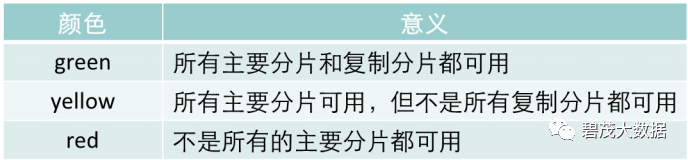
2 集群和节点健康
集群健康查询
curl -X GET "localhost:9200/_cat/health?v“

Status状态说明
节点健康查询
curl -X GET "localhost:9200/_cat/nodes?v“

3 文档及元数据
程序中大多的实体或对象能够被序列化为包含键值对的JSON对象,键(key)是字段(field)或属性(property)的名字,值(value)可以是字符串、数字、布尔类型、另一个对象、值数组或者其他特殊类型,比如表示日期的字符串或者表示地理位置的对象。
在Elasticsearch中,文档(document)这个术语有着特殊含义。它特指最顶层结构或者根对象(root object)序列化成的JSON数据(以唯一ID标识并存储于Elasticsearch中)。
一个文档不只有数据。
它还包含了元数据(metadata)——关于文档的信息。
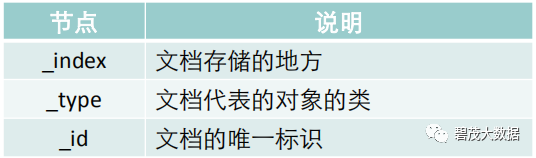
三个必须的元数据节点是:
4 检查文档是否存在
使用 HEAD 方法来代替 GET
如果文档存在,将会返回 200 OK;
如果文档不存在,将会返回404 Not Found。
curl -i -XHEAD http://localhost:9200/website/blog/123
5 索引操作
查看全部索引
curl -X GET "localhost:9200/_cat/indices?v“

创建一个索引
curl -X PUT "localhost:9200/customer?pretty“
运行结果:
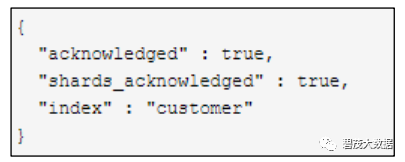
创建一个名字叫“customer”的索引,然后查看索引:
再次查看索引列表:
curl -X GET "localhost:9200/_cat/indices?v“
运行结果:

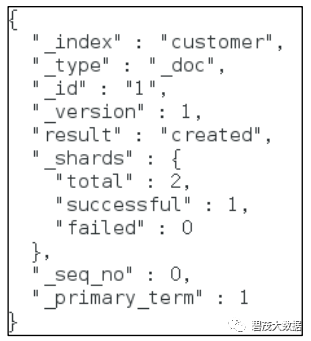
索引一个文档
curl -X PUT "localhost:9200/customer/_doc/1?pretty" -H 'Content-Type: application/json' -d'{"name": "John Doe"}’
运行结果:
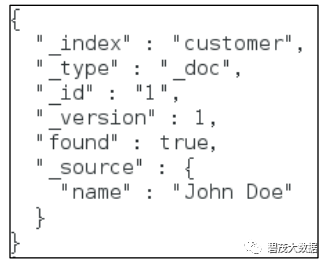
检索新创建的文档:
curl -X GET "localhost:9200/customer/_doc/1?pretty“
检索结果:
删除customer索引
curl -X DELETE "localhost:9200/customer?pretty“
运行报告:

查询所有索引验证结果:

6 更新文档
6.1 更新文档-例1
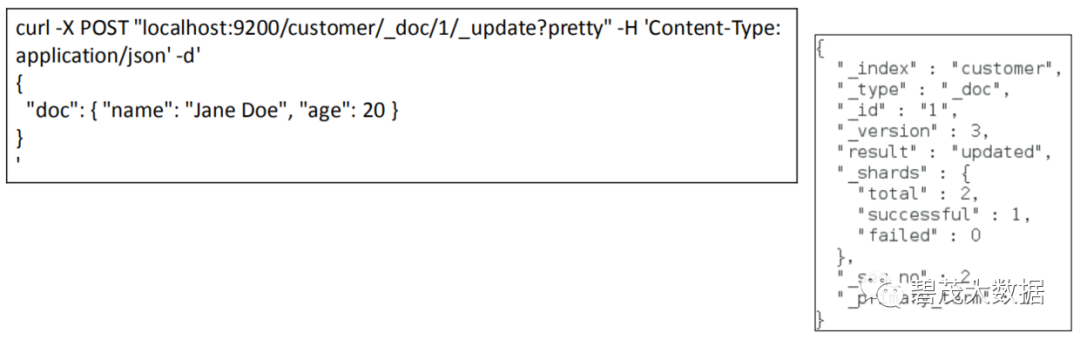
每当我们执行更新时,Elasticsearch就会删除旧文档,然后索引一个新的文档。
下面这个例子展示了如何更新一个文档(ID为2),改变name字段为"Jane Doe",同时添加一个age字段:
6.2 更新文档-例2
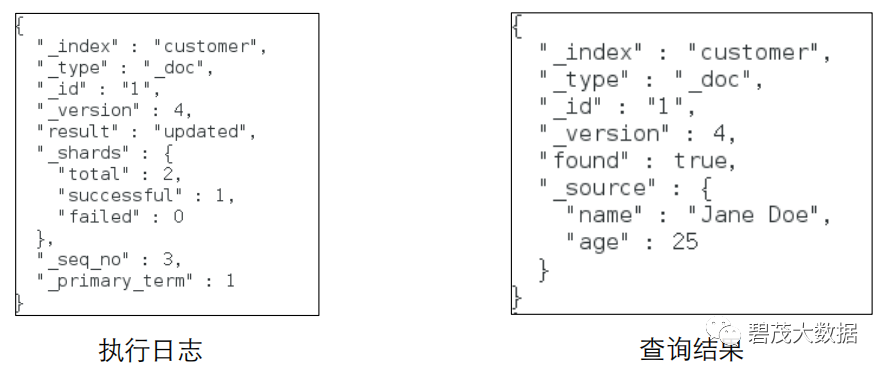
用脚本来将age增加5
注:ctx._source引用的是当前源文档
curl -X POST "localhost:9200/customer/_doc/1/_update?pretty" -H 'Content-Type:
application/json' -d'
{
"script" : "ctx._source.age += 5"
}‘
执行结果
执行记录
curl -X GET "localhost:9200/customer/_doc/1?pretty"
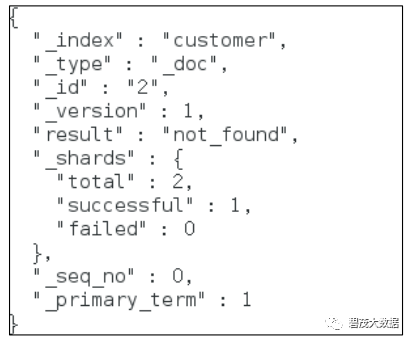
6.3 删除文档
从"customer"索引中删除ID为2的文档:
curl -X DELETE "localhost:9200/customer/_doc/2?pretty“
6.4 批处理-示例1
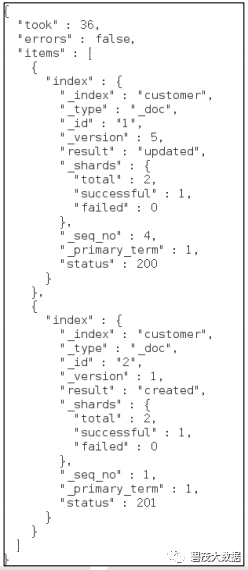
除了能够索引、更新和删除单个文档之外,Elasticsearch还可以使用_bulk API批量执行上述任何操作
示例:索引两个文档(ID 1 - John Doe 和 ID 2 - Jane Doe)
curl -X POST "localhost:9200/customer/_doc/_bulk?pretty" -H
'Content-Type: application/json' -d'
{"index":{"_id":"1"}}
{"name": "John Doe" }
{"index":{"_id":"2"}}
{"name": "Jane Doe" }
'
6.5 批处理-示例2
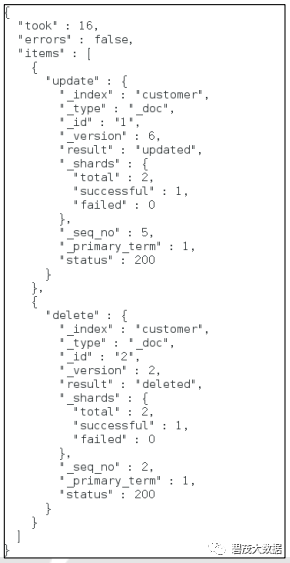
更新第一个文档(ID为1),删除第二个文档(ID为2):
curl -X POST "localhost:9200/customer/_doc/_bulk?pretty" -H 'Content-Type:
application/json' -d'
{"update":{"_id":"1"}}
{"doc": { "name": "John Doe becomes Jane Doe" } }
{"delete":{"_id":"2"}}
'
关注公众号:领取精彩视频课程&海量免费语音课程