



PostgreSQL 安装步骤&基础运维操作.pdf
免费下载
yum install -y perl-ExtUtils-Embed readline-devel zlib-devel pam-devel libxml2-devel libxslt-
devel openldap-devel python-devel gcc-c++ openssl-devel cmake
useradd postgres
passwd postgres (设置postgre密码--postgres)
官网下载
tar -xzvf postgresql-13.4.tar.gz
./configure --prefix=/usr/local/pgsql
注:有些系统会报错 configure: error: cannot guess build type; you must specify one,这里需要
指定系统版本。
另外,还会报错 configure:error:readline library not found,简单的办法是编译的时候加--without-
readline。这个功能好像是psql上下翻的功能。
1 安装前的准备
1.1 安装依赖包
1.2 创建postgres用户
2 安装部署(用root用户安装)
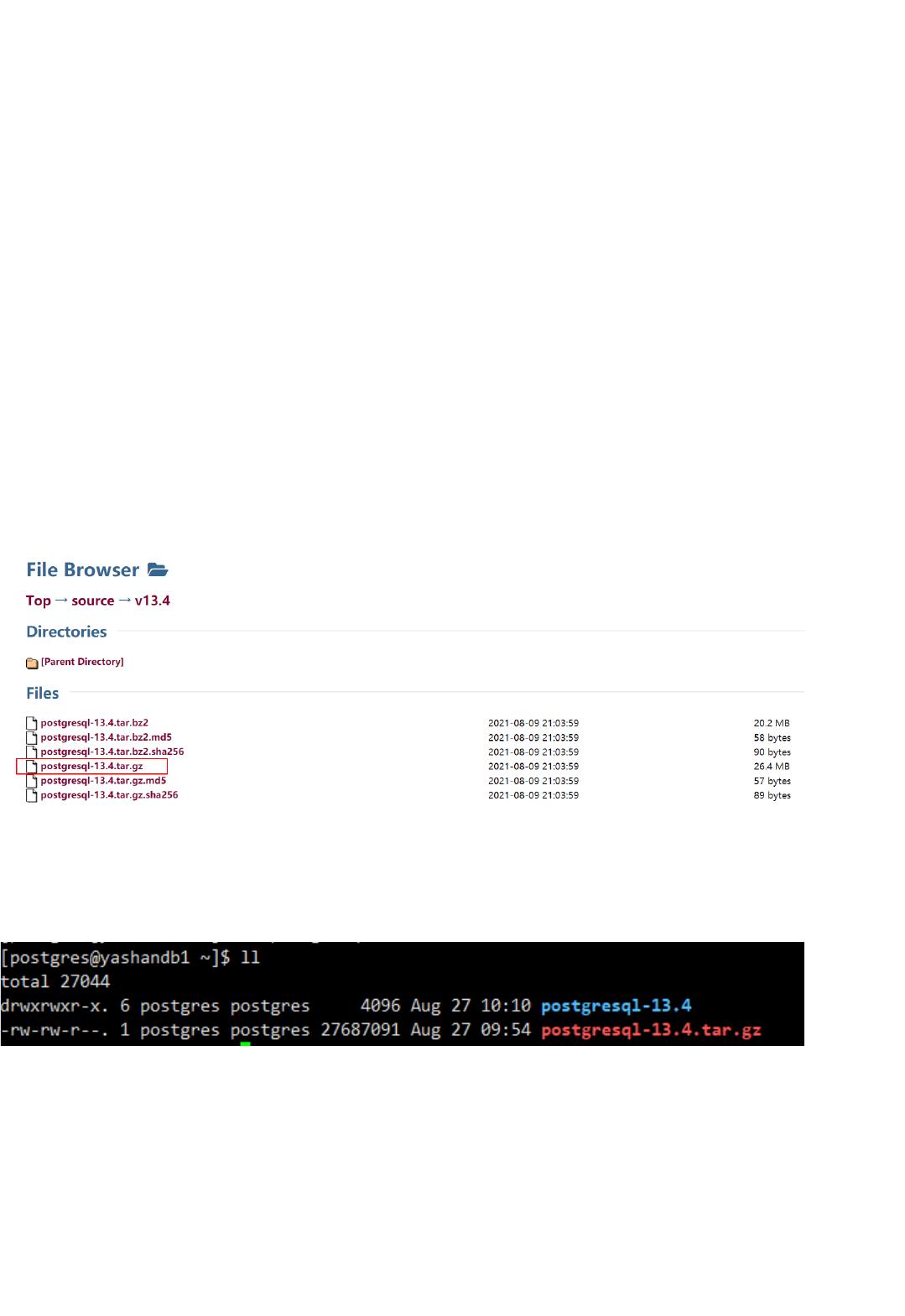
2.1下载安装包
https://www.postgresql.org/ftp/source/v13.4/
2.2 解压到/home/postgres
2.3 配置

make
(时间有点久...)
make install
(我用的postgres用户安装的时候这里报了权限错误,所以改用了sudo make install,建议用root用
户安装就不会遇到这个问题)
vi .bash_profile
source .bash_profile
pg_ctl -D /usr/local/pgsql/data start
psql
1、The specified database user/password combination is rejected: [28000] FATAL: no
pg_hba.conf entry for host "192.168.31.50", user "postgres", database "postgres", SSL off
2.4 编译
2.5 安装
2.6 配置环境变量
export PGHOME=/usr/local/pgsql1
export PGDATA=/usr/local/pgsql/data2
PATH=$PATH:$HOME/.local/bin:$HOME/bin:$PGHOME/bin3
export PATH4
2.6 启动
2.7 使用
2.8 FAQ
vi /usr/local/pgsql/data/pg_hba.conf 添加host all all 0.0.0.0/0 trust1
2
#重启pg,在postgres用户下执行3
pg_ctl restart4
of 8
免费下载
【版权声明】本文为墨天轮用户原创内容,转载时必须标注文档的来源(墨天轮),文档链接,文档作者等基本信息,否则作者和墨天轮有权追究责任。如果您发现墨天轮中有涉嫌抄袭或者侵权的内容,欢迎发送邮件至:contact@modb.pro进行举报,并提供相关证据,一经查实,墨天轮将立刻删除相关内容。
下载排行榜

评论