



pg数据库开机启动设置.docx
5墨值下载
pg
数据库开机启动设置
Postgres
数据库默认不会开机启动的,如果需要开机启动需要进行如下配置
1.
进入
postgres
安装包的解压目录,如安装包解压到了
/sof
目录下
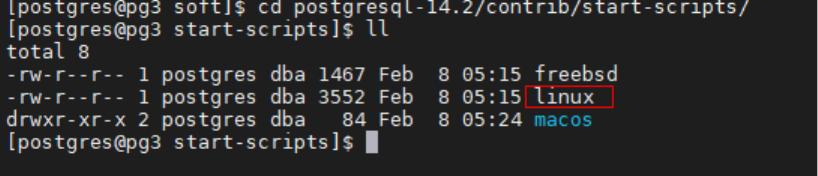
cd /sof/postgresql-14.2/contrib/start-scripts
这个目录下有一个
linux
文件
2
使用
root
将
linux
文件拷贝到
/etc/init.d
cp linux /etc/init.d/
3root
进入
/etc/init.d
赋权并修改文件名
cd /etc/init.d
Chmod +x linux
mv linux postgresql
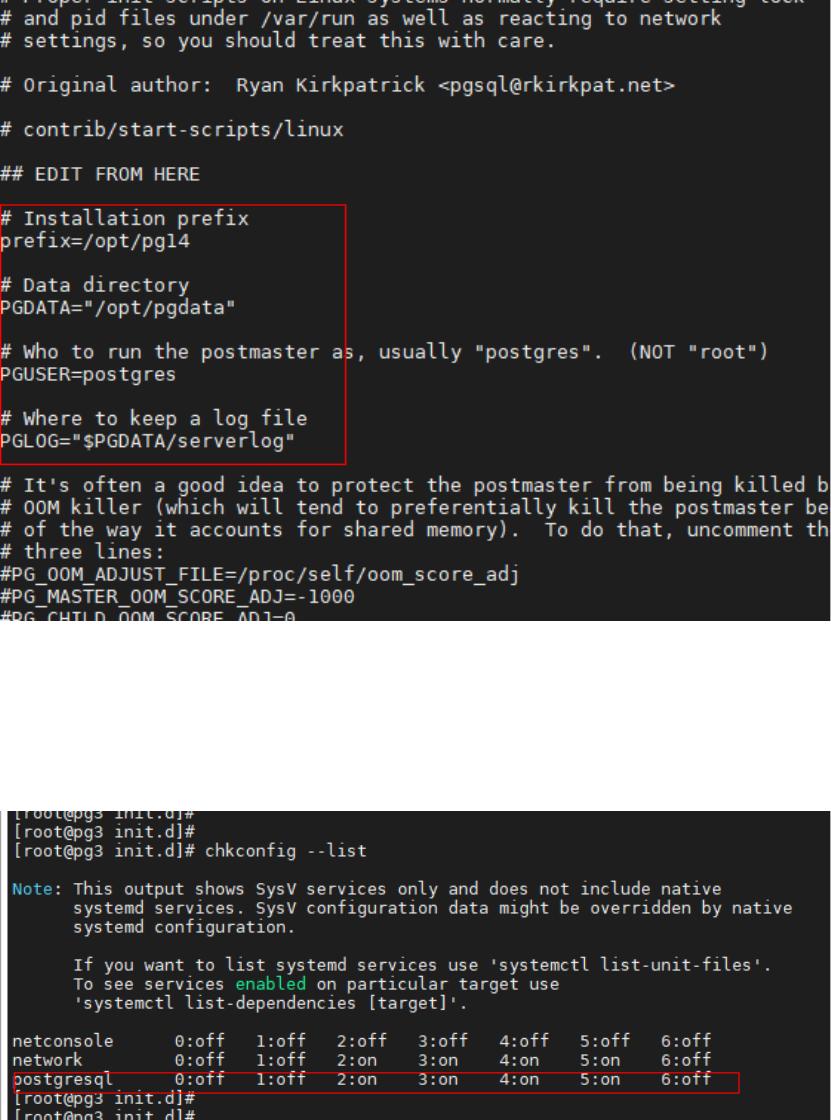
4vi postgresql
将
pre!x
和
pgdata
这两个参数修改为实际目录
pre!x=/opt/pg14
PGDATA="/opt/pgdata"
5root
添加服务
chmod --add postgresql
6.
检查
postgresql
服务是否添加成功
Chkcon!g --list
7.
执行进行验证
systemctl status postgresql
systemctl stop postgresql
systemctl start postgresql
systemctl status postgresql
of 3
5墨值下载
【版权声明】本文为墨天轮用户原创内容,转载时必须标注文档的来源(墨天轮),文档链接,文档作者等基本信息,否则作者和墨天轮有权追究责任。如果您发现墨天轮中有涉嫌抄袭或者侵权的内容,欢迎发送邮件至:contact@modb.pro进行举报,并提供相关证据,一经查实,墨天轮将立刻删除相关内容。
下载排行榜

评论